 Matih Setu
Billing and stock software for Indian shops
Fast billing at your counter. Clear stock behind it.
Matih Setu runs on your shop's Windows PC. It makes GST bills in a few keystrokes, keeps your stock, dues and accounts in order, and keeps billing when the internet is down.
- Bills without internet
- GST bills
- Hindi beside English menus
See Setu at work
A few of the screens your shop uses every day. Use the arrows or the dots to see each one, or swipe on a phone.
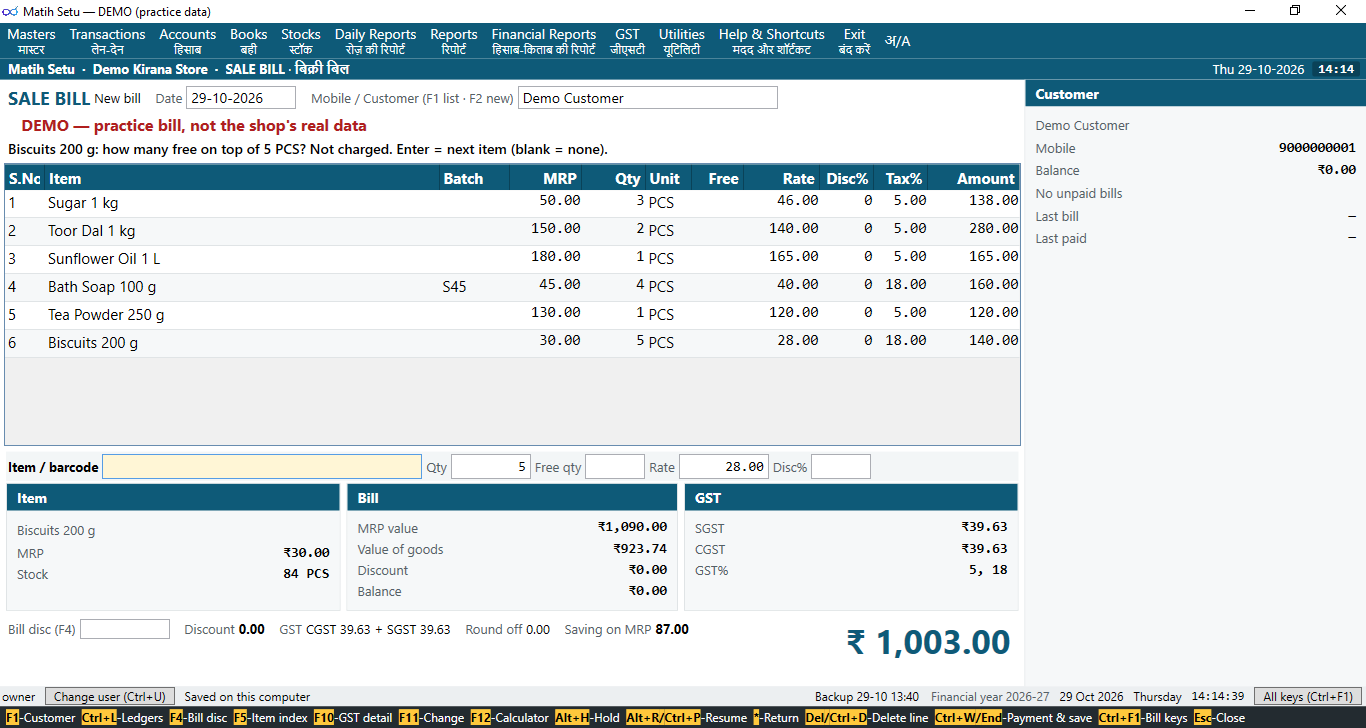
Billing at the counter 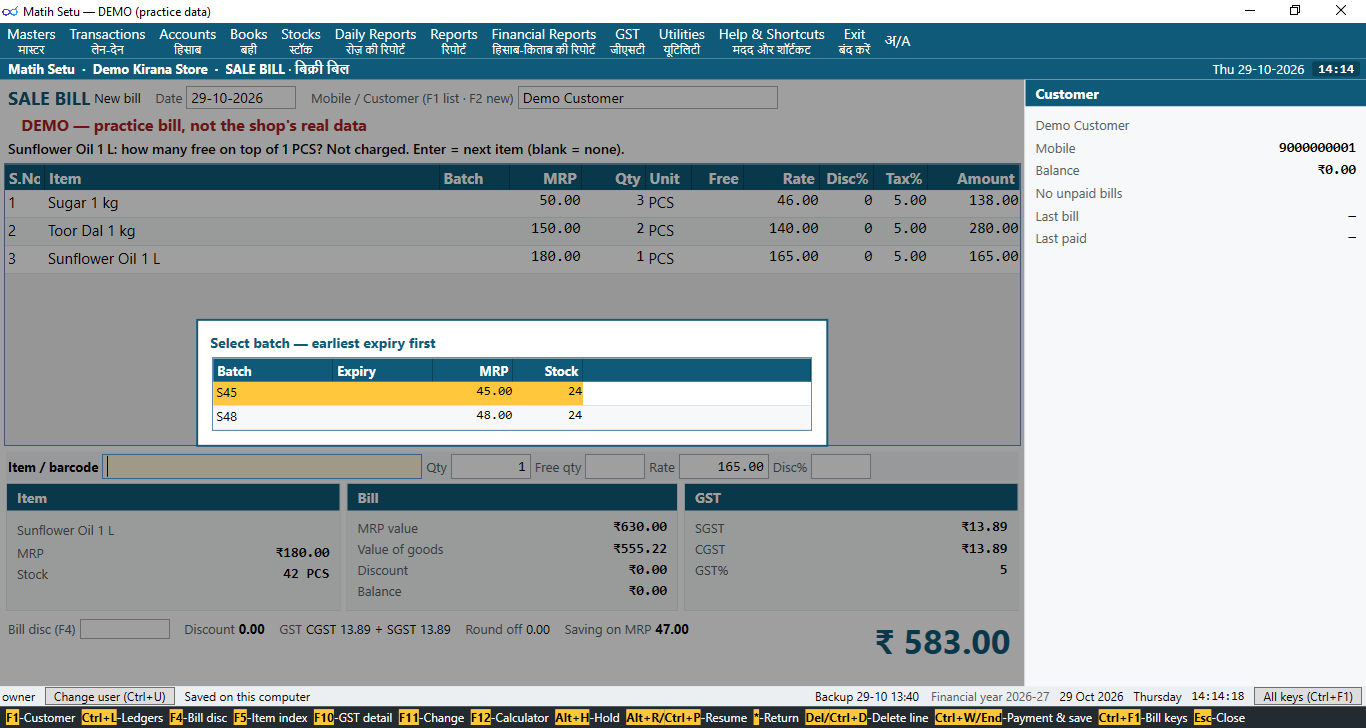
Choosing the MRP printed on the packet 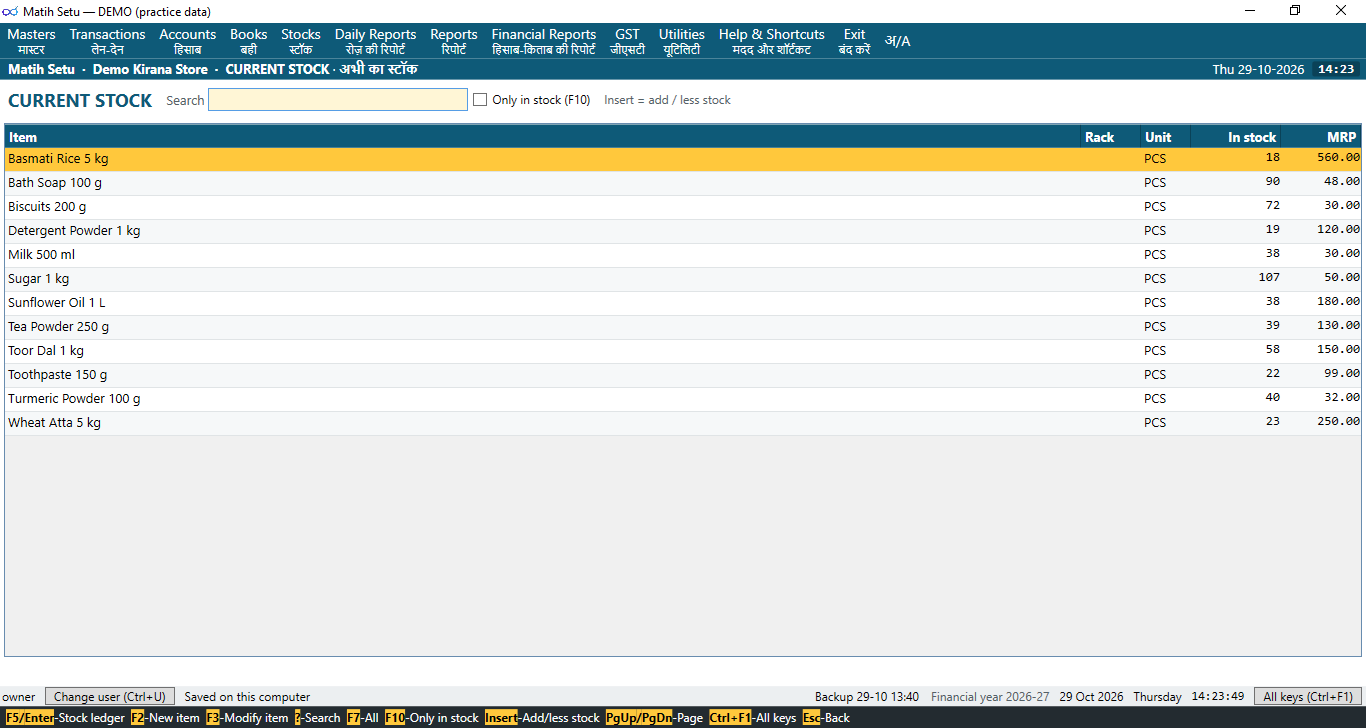
Current stock 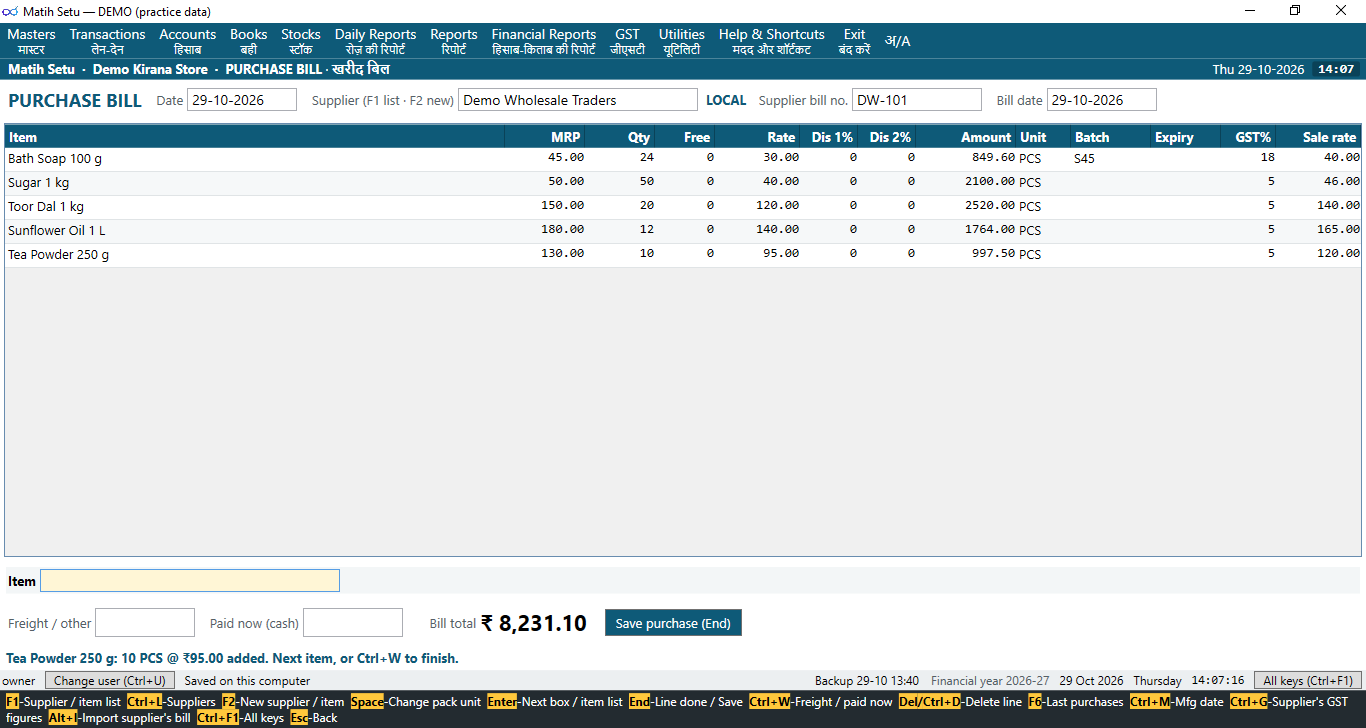
A purchase 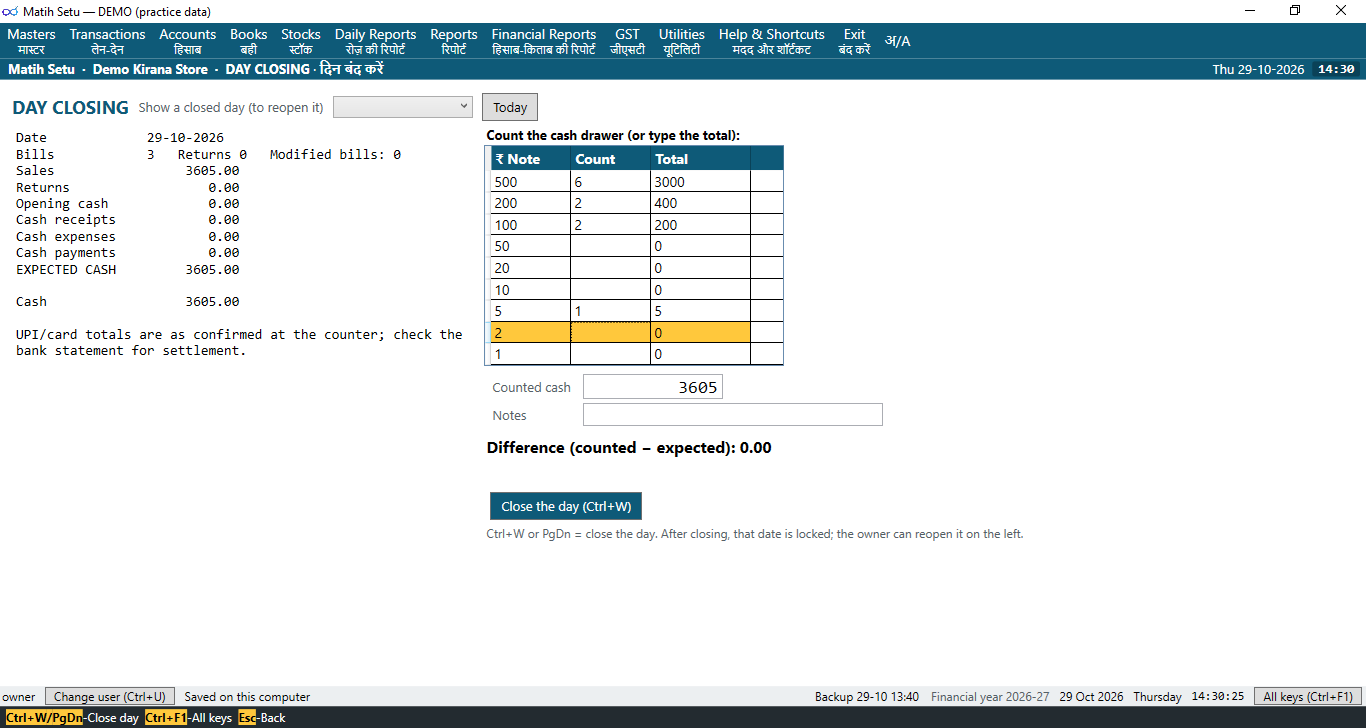
Day closing with the cash count 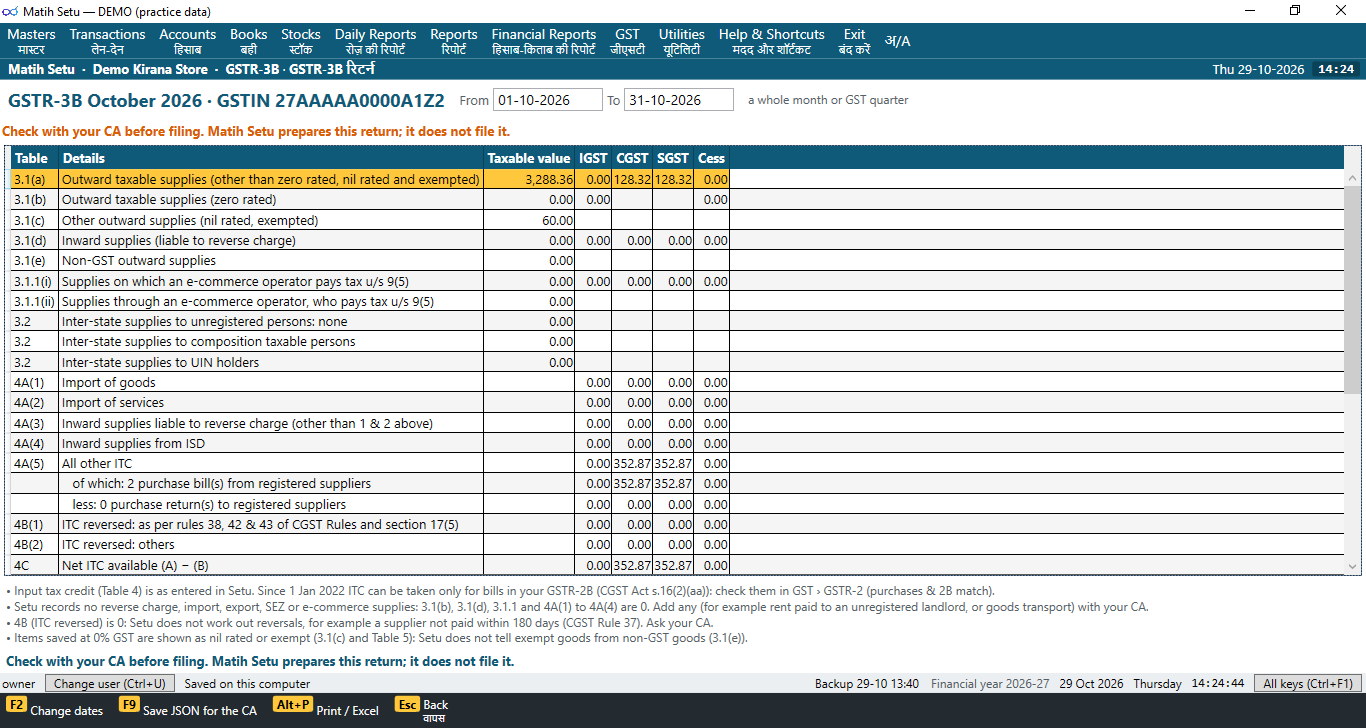
GST returns ready for your CA
Made for the shop counter
For kirana and general stores across India, and for everyone who works in them.
Shops
Kirana and general stores
Packets with an MRP, loose goods by weight, regular customers on credit, and the evening rush. Setu is built around the way a kirana counter works.
Owners
See your shop clearly
Today's sales, dues to collect, stock to reorder and the cash in the drawer, in plain reports. You decide what each person may do.
Cashiers
Simple to learn
Scan, press Enter, take the money. Each cashier signs in with their own PIN and sees only what they need.
Distributors
Easy to set up and support
One installer, and one licence key for each shop. A clear setup guide, and Matih support when a shop needs more help.
What Setu does for your shop
The everyday work of a shop, made simple.
Fast billing at the counter
Scan a barcode and the item is on the bill. Type a few letters to find the rest. Hold a bill while the customer fetches one more thing, take a return on the same bill, and take cash, UPI, card or credit.
Works without internet
Every bill is saved on your shop's PC first, so the counter keeps going when the internet is down. Setu needs the internet to activate your licence key, and from time to time to renew it and send your online backup.
GST bills, done right
For Regular, Composition and unregistered shops. Bill numbers never skip or change, and a bill is never deleted, only cancelled with a reason. GSTR-1 and GSTR-3B are worked out from your own bills and purchases, ready to check with your CA.
Old and new MRP, kept apart
When the same item arrives at a new MRP, Setu keeps the old-MRP stock and the new-MRP stock apart, under one item and one barcode. The cashier picks the MRP printed on the packet.
Cashier controls, balances hidden
Everyone signs in with their own PIN, and Setu records who did what. Cashiers bill and take money; rate changes and bigger discounts need a manager. Party balances and cash in hand stay hidden from cashiers unless you choose otherwise.
Online backups
Setu takes a checked backup on your PC every day. Once you set your backup recovery key, it also sends a locked copy online to Matih by itself. Only your key opens it, and your shop can be brought back on a new PC if this one breaks.
Help from Matih support
Your Matih support person sets Setu up with you and installs every update, taking a backup of your shop first. Setu shows your distributor's name and help line on its main window, so help is one call away.
Easy move from your old billing software
Bring in your items with their stock, MRP, rates and GST, and your customers and suppliers with their balances. Setu shows your old software's totals next to its own, so you can check them. Your old software stays as it is.
And much more
Setu covers the whole shop, from the purchase to the day's closing.
- Thermal roll, A5 or A4 GST bills
- Batches and expiry dates
- Party khata and dues
- Purchases and supplier returns
- Day closing with cash count
- Barcode labels
- Schemes and loyalty points
- Low stock and near-expiry lists
- Profit and loss, trial balance
- Excel files for your CA
- Menus with Hindi beside English
How to get Matih Setu
Setu comes to your shop through a Matih distributor.
-
Talk to your Matih distributor
They check that your shop PC is ready and give you a licence key for your shop. Want to see Setu first? Distributors can show you a demo with practice data.
Phone: +91-6364247664 · E-mail: contact@matihlabs.com
-
Your Matih support person sets it up
They install Setu on your shop PC, set up the bill printer and your staff, and bring in your items and balances from your old billing software.
-
Start billing
From then on, your Matih support person installs every update for you and takes a backup of your shop first.
Talk to your Matih distributor
Your distributor can show you Setu, check your PC and arrange the setup at your shop.
Or first: Download Matih Setu Read the help pages